How to Buy Robux via GamePass on 1RBX: A Step-by-Step Guide
A step-by-step guide to buying Robux on 1RBX using the GamePass method. Learn how to easily and quickly place an order, create a gamepass, and receive your Robux.

Step-by-Step Guide: How to Buy Robux via GamePass
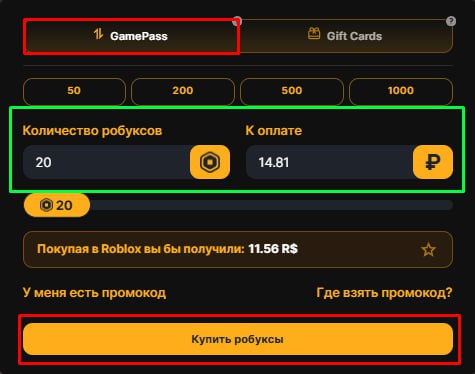
Step 1. To start your order, go to the homepage. Select the GamePass method (the best value option). Enter the amount of Robux you wish to purchase and click the "Buy Robux" button.
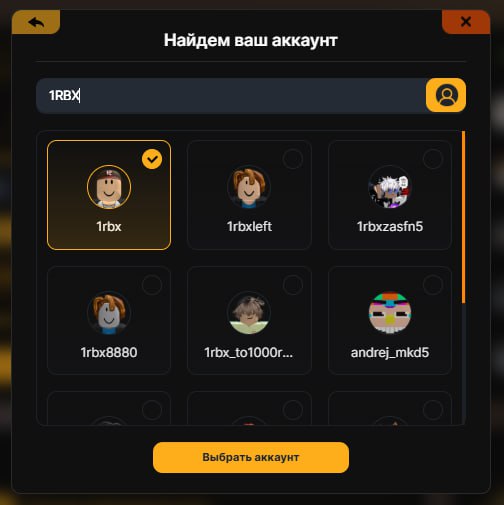
Step 2: Enter Your Roblox Username
Next, enter the username (login) of your account.
Attention: Please use your unique account Username, NOT your Display Name, to ensure the Robux are sent to the correct account!
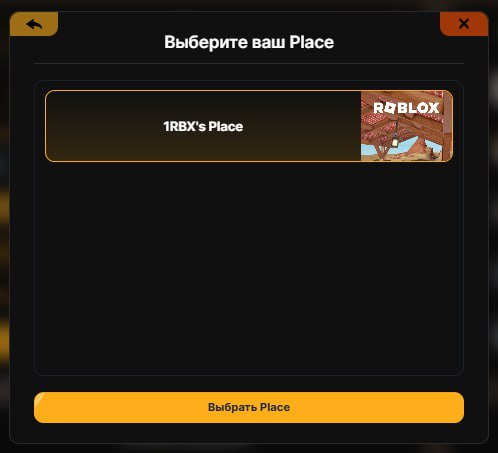
Step 3: Select Your Place
Choose one of your Places (games) where the Gamepass will be located. Simply click on any available place to proceed.
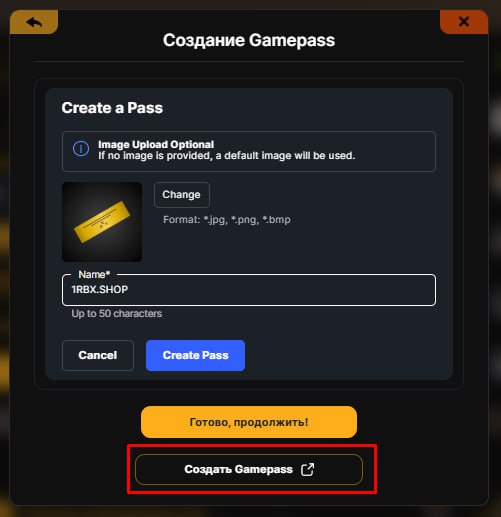
Step 4: Create a Gamepass (If needed)
If you don't have a Gamepass created yet, the system will ask you to create one. Click the provided link and follow the simple instructions on the Roblox website.
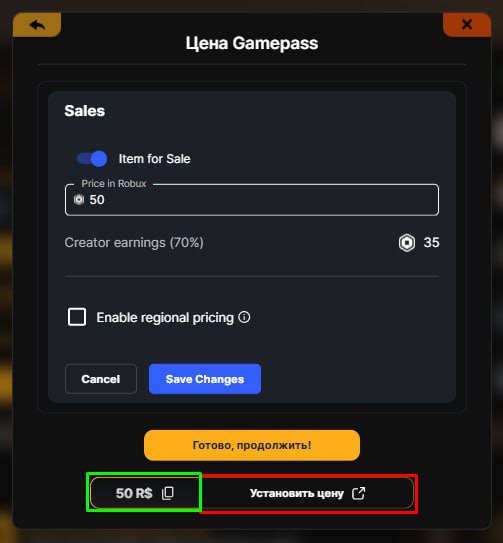
Step 5: Set the Price
After creating the Gamepass, you need to list it for sale. Set the exact price required by our site (we calculate this to cover the Roblox tax). Read more about pricing in our detailed buying guide here.
Step 6: Payment and Receipt (Pending Robux)
Done! Complete the payment for your order. Immediately after success, the Robux will be sent to your account and will appear in your Roblox transaction history under the Pending status!
Still need
help?
Our support team is ready to assist you with any questions or issues you may have